Built Around Ministry
Worship Control began with real needs inside a working local church, not as a classroom exercise or a generic remote-control concept.
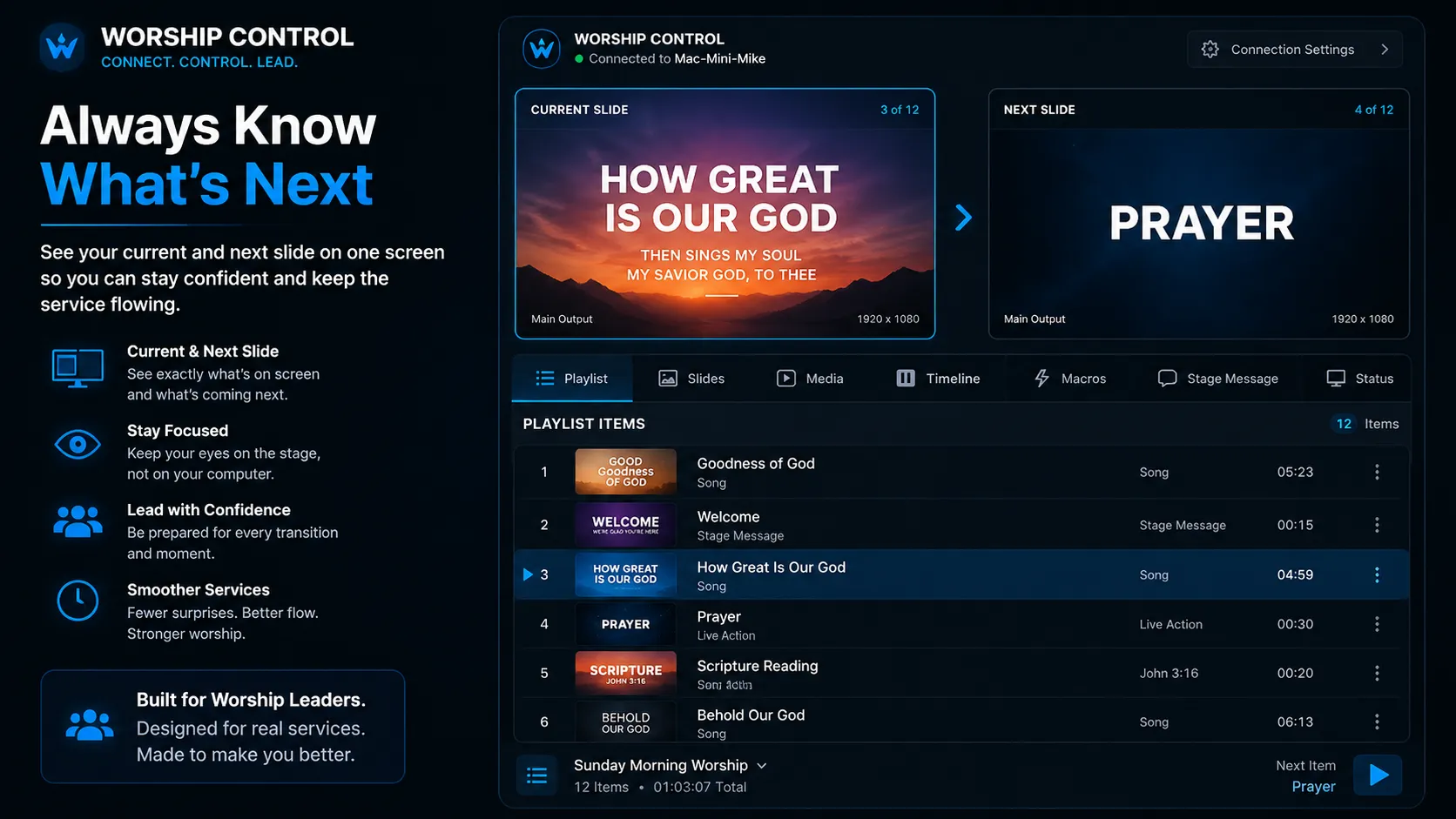
Worship Control is an independent desktop application currently under development for churches using ProPresenter. Designed by an active worship and technology pastor, it brings presentations, playlists, stage messages, timelines, streaming tools, macros, and more into one focused workspace on another Mac or Windows computer connected to the same local network.
Why Worship Control?
Sunday mornings move quickly. Worship leaders should not have to return to the media booth to advance slides. Pastors should not have to interrupt rehearsal to update a stage display. Volunteers deserve tools that are simple, dependable, and shaped around ministry.
Worship Control began with real needs inside a working local church, not as a classroom exercise or a generic remote-control concept.
The goal is not to duplicate every ProPresenter window. It is to surface the controls leaders and production teams need most during a service.
Features are being refined through live worship services, rehearsals, and real production workflows before public release.
What We're Building
Worship Control brings the most important presentation and production controls into one focused desktop experience while development continues toward a public release.
Fast Setup
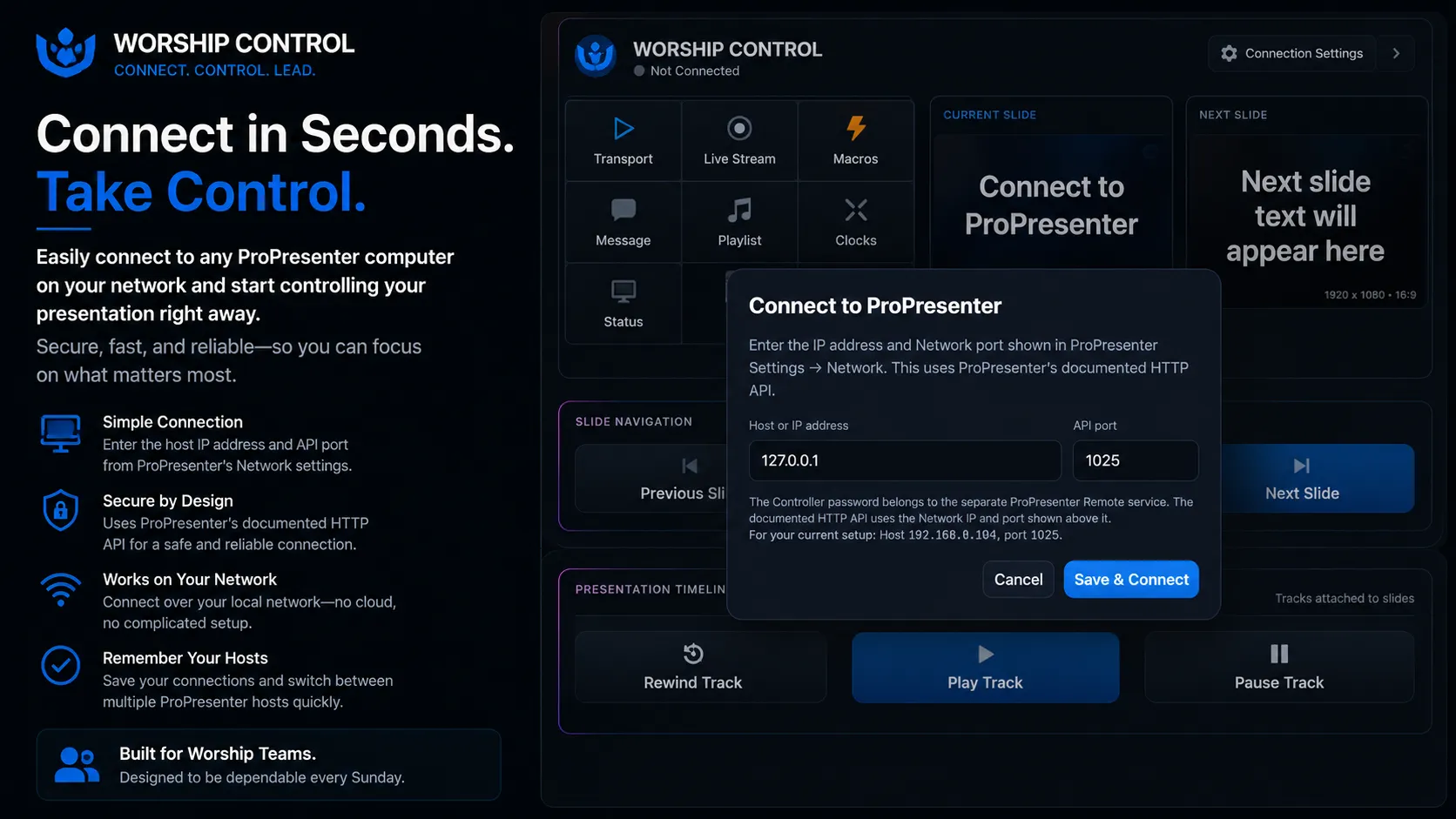
Enter the network address and API port displayed in ProPresenter, save the connection, and begin working from another computer on the same local network.
Playlist Navigation
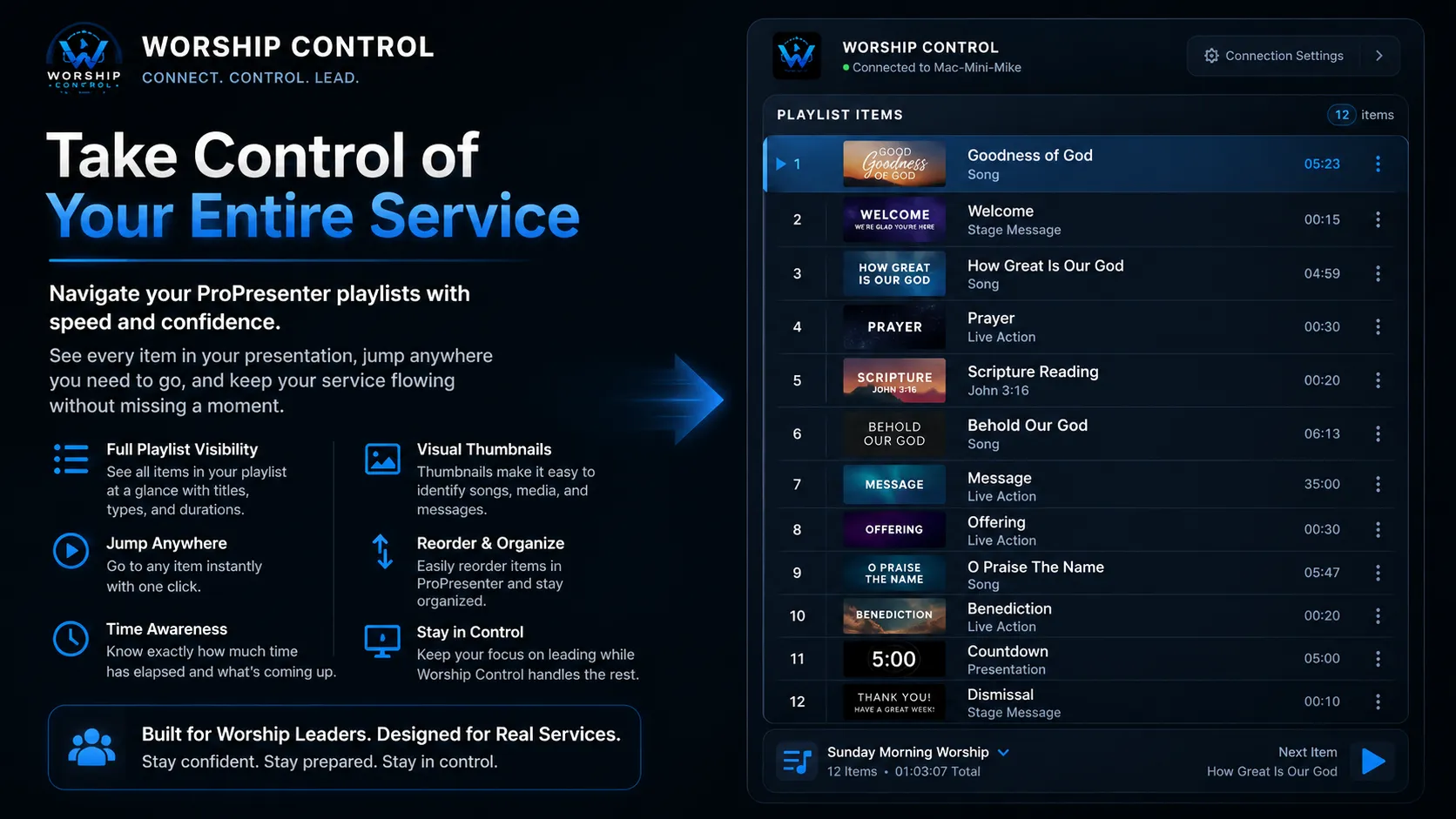
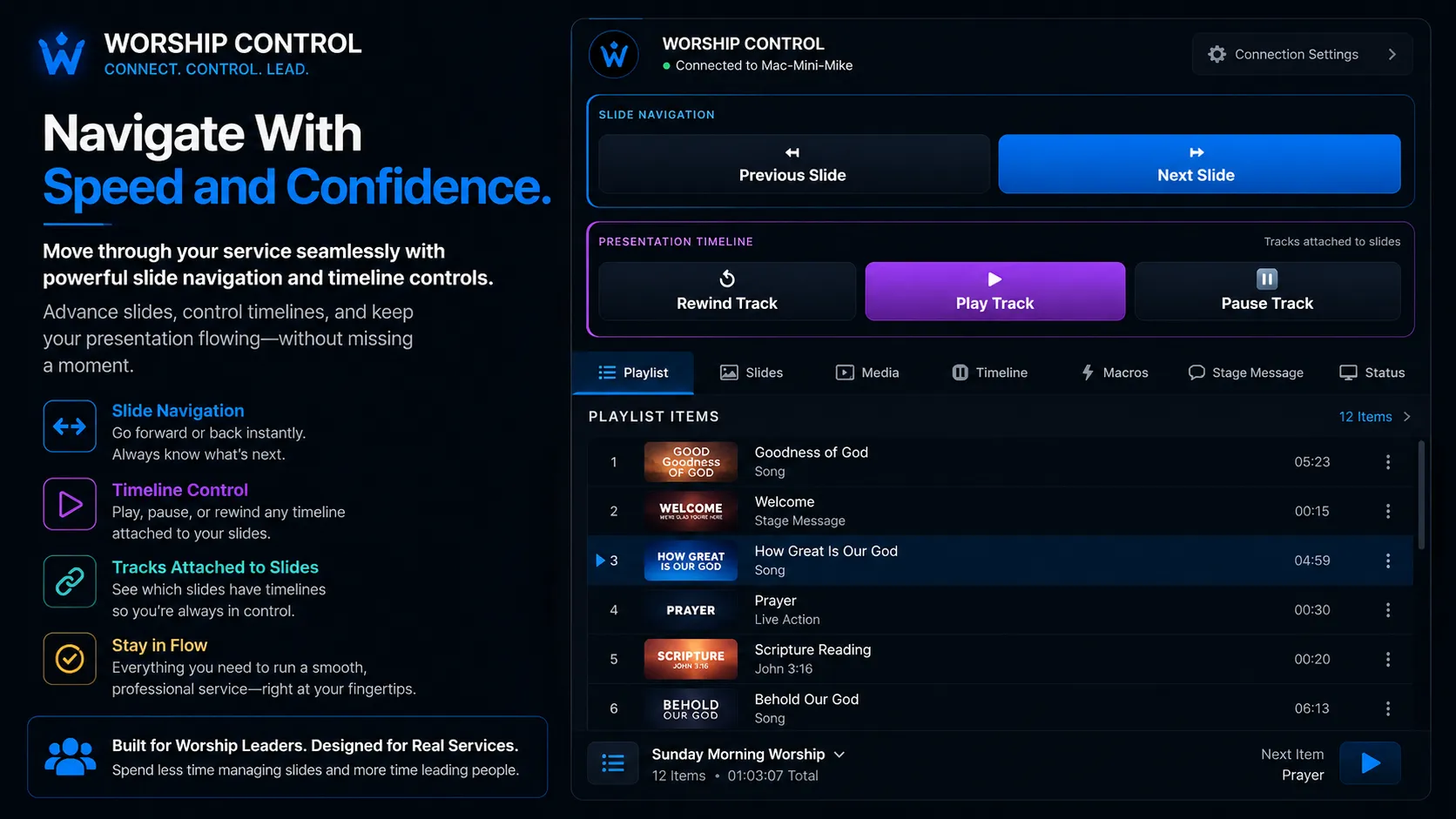
Browse the active playlist, select presentation items, and move through the service without returning to the ProPresenter host computer.
Slide Ruler
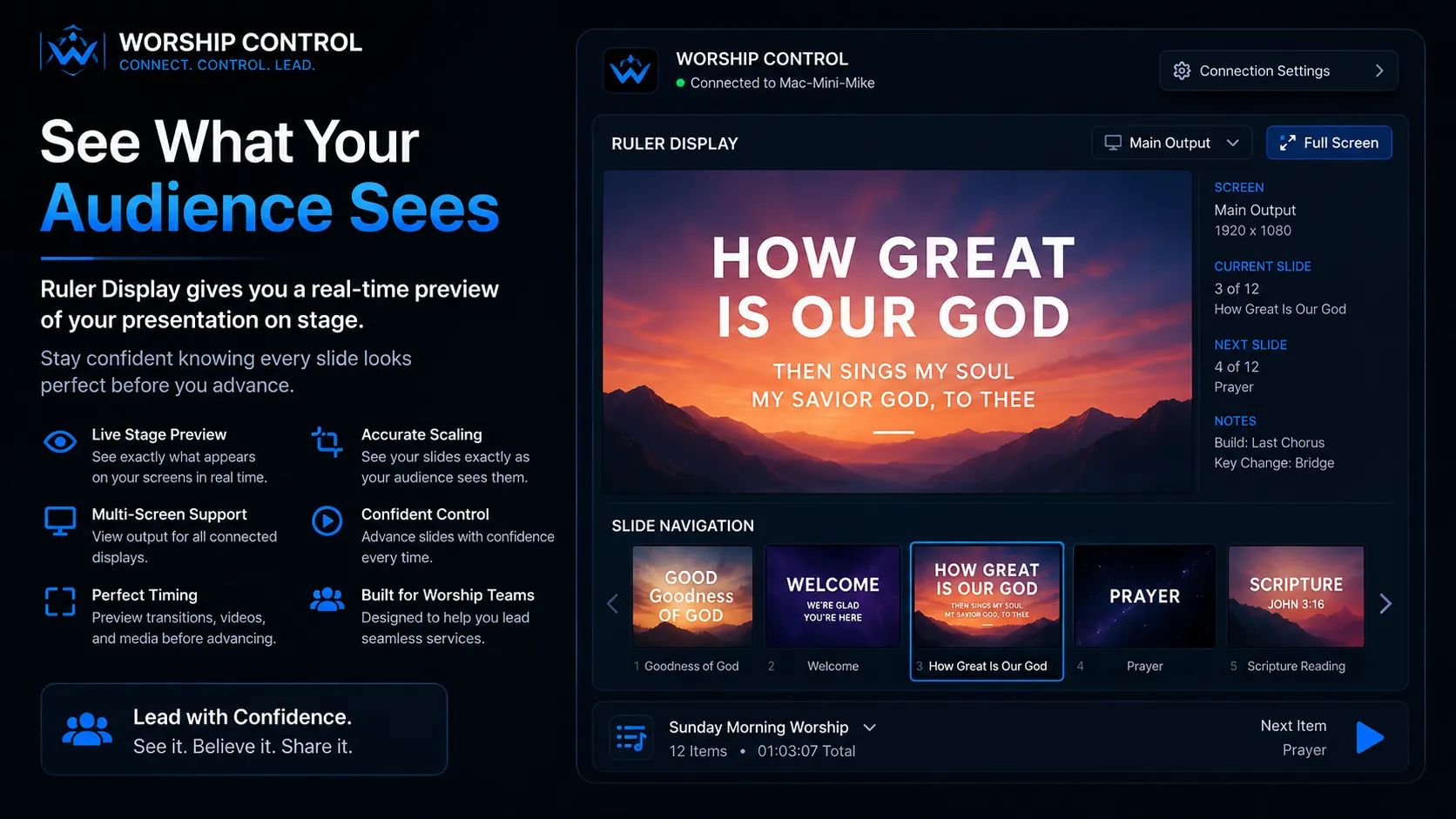
The visual slide ruler gives leaders and operators thumbnail access to the active presentation for quicker navigation through songs, sermons, and media.
Current and Next
View the current audience slide and the upcoming slide together so every transition feels prepared instead of rushed.
Streaming and Recording
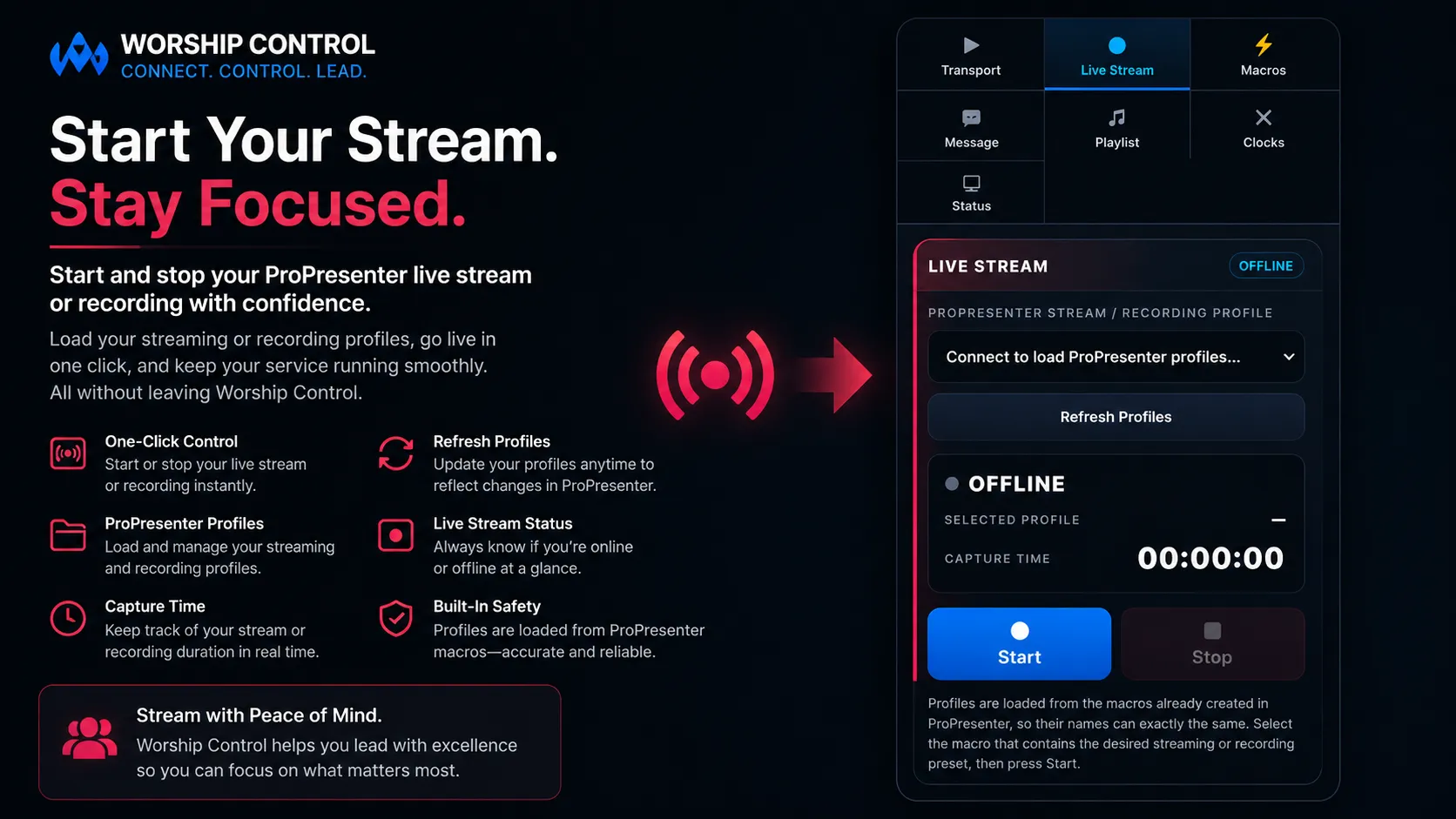
Load compatible streaming or recording profiles already configured in ProPresenter, monitor status, and access start or stop controls from Worship Control.
Stage Communication
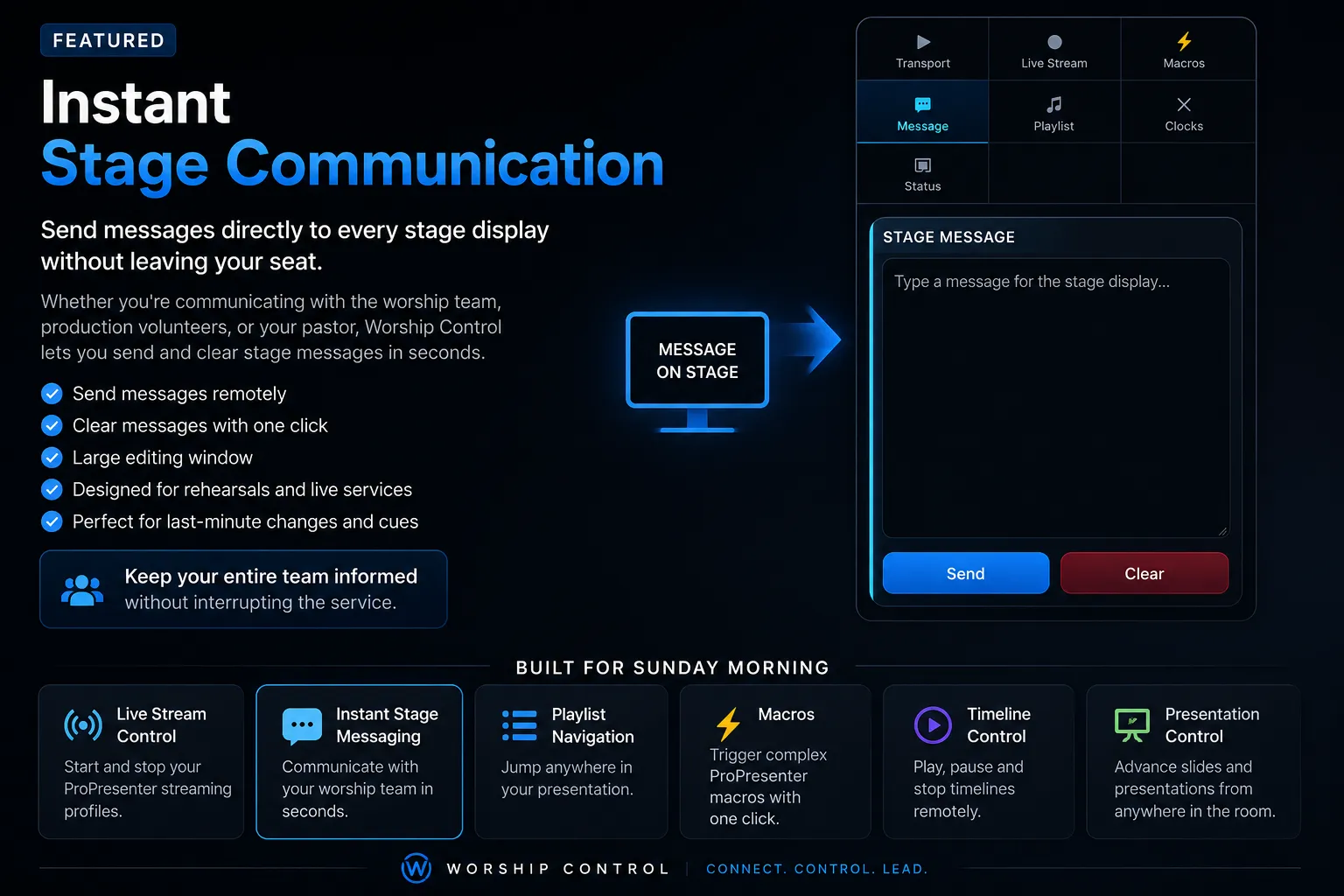
Send and clear messages on configured ProPresenter stage displays for worship teams, speakers, pastors, and volunteers.
Transport and Timeline
Move forward or backward through slides and control attached presentation timelines without hunting through multiple windows.
Designed for Modern Church Production
Worship Control is being designed to work alongside the presentation, streaming, network video, and automation tools already serving the local church. NDI is not required, and Worship Control is not an NDI video switcher.
Development Roadmap
The roadmap will continue to evolve as testing reveals new needs and opportunities. No public release date has been announced.
Frequently Asked Questions
Not yet. Worship Control is still under active development and is not currently available for purchase or public download.
A fully functional 14-day evaluation period is planned before the commercial release so churches can test Worship Control in their own network and ministry environment.
No. Worship Control does not require NDI. It is being designed to work comfortably alongside churches that already use NDI-based video production, PTZ cameras, Companion, live streaming, and multi-display systems.
No. Worship Control focuses on presentation control and related ProPresenter workflows. A separate software project, LiveRoute Studio, is being developed specifically for NDI video switching and PTZ production workflows.
No. Worship Control is an independent third-party application designed to communicate with ProPresenter using its documented APIs. It is not affiliated with, endorsed by, or sponsored by Renewed Vision.
Worship Control is being developed as a desktop application for both macOS and Windows. Final system requirements will be published before release.
The Journey Is Just Beginning
Worship Control is still being shaped by real churches, real worship services, and real production needs. Development updates, preview opportunities, release information, and trial details will be shared as the project moves forward.
Worship Control is an independent third-party application and is not affiliated with, endorsed by, or sponsored by Renewed Vision. ProPresenter is a trademark of Renewed Vision. NDI® is a registered trademark of Vizrt NDI AB. All product names and trademarks belong to their respective owners.